Federal Government
Bring official messages into your agency’s records workflow.
A conversation can move from email to a phone in a moment. FirmScribe helps your agency capture those official conversations and deliver them to the archive your records team already uses.
Talk to SalesAvailable through CarahsoftMessaging coverage



Capture options depend on the service and configuration.
Account for the conversations happening outside email.
Internal coordination, program updates, and exchanges with external contacts can happen through mobile messaging. Those conversations may sit apart from the systems your records staff use every day. FirmScribe provides a capture and delivery process for supported messaging services, helping your agency bring the official conversations it needs into its records workflow.
Set the capture scope. Use your existing archive.
Build the proposed deployment around your agency’s policies, supported devices, and records destination.
Capture the conversations in scope
Choose full or selective thread capture where supported. Full capture covers all threads in the configured scope; selective capture provides an option for identified conversations. Review the appropriate approach and employee responsibilities for your agency’s use case.
Put captured messages where records staff work
Deliver messages into your selected archive. Your agency continues to use that system for retention, search, access, and disposition. The deployment discussion covers the destination and delivery configuration, so the handoff is part of the plan.
Keep capture visible after onboarding.
Personnel move between programs, accounts change, and users may need to reconnect. FirmScribe’s administrative tools, activity logs, and proactive alerts help your team see capture activity and identify users needing attention. Establish who monitors that activity and who handles follow-up, so ongoing administration has a defined place in your agency’s workflow.
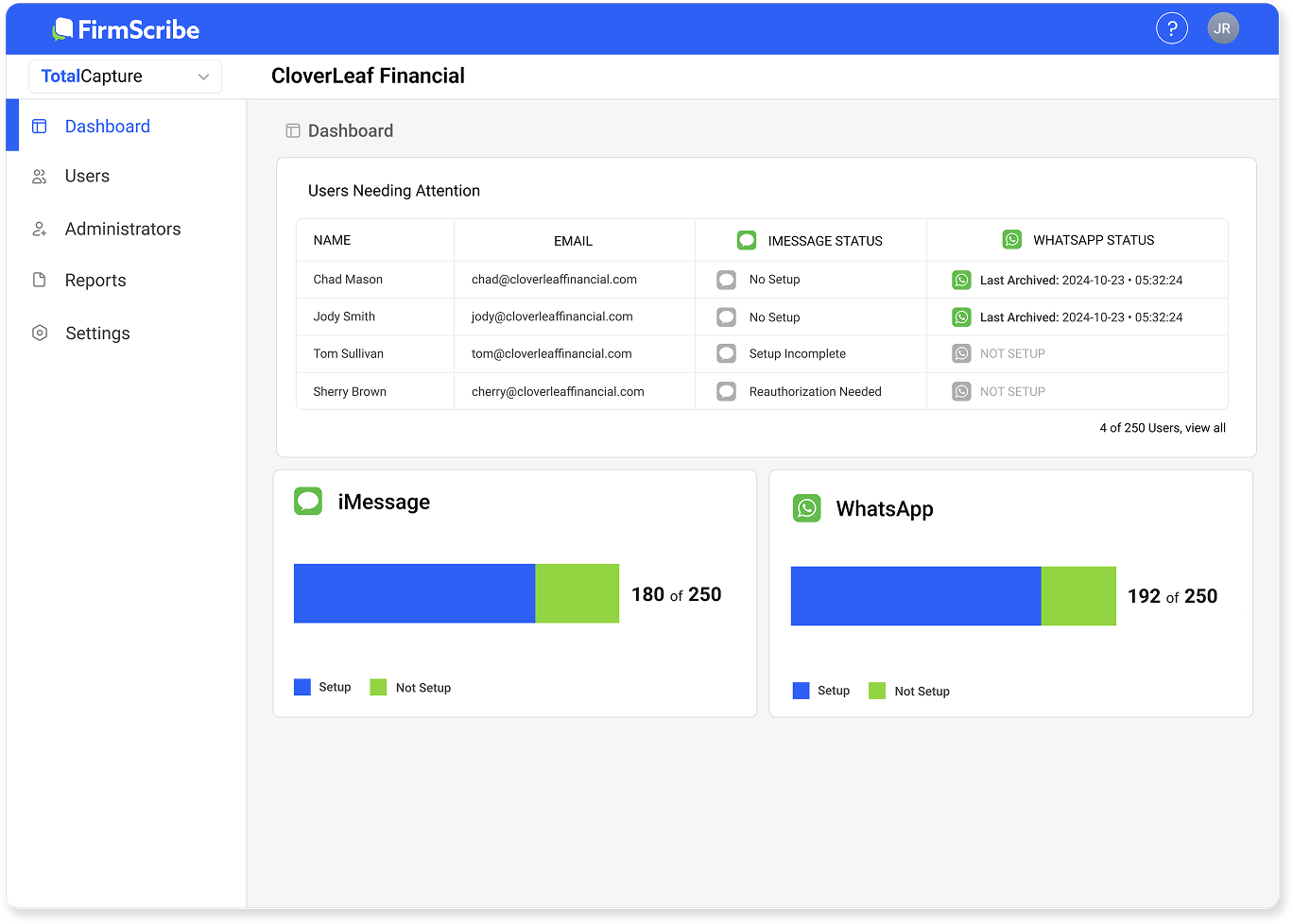
FirmScribe administration tools.
Turn one use case into a focused technical discussion.
Start with one program or team. That gives records staff, IT, and FirmScribe a concrete environment to assess together.
Review the messaging environment
Identify the devices, accounts, and official conversations involved. Discuss which capture options fit that environment.
Walk through the requirements
Bring the relevant device, authentication, connectivity, and security policies. Work through the proposed configuration and identify questions requiring further review.
Agree on the next evaluation step
Discuss archive delivery, onboarding, and ongoing administration. Establish what your agency needs to assess before moving forward.
Federal purchasing options
FirmScribe is available through Carahsoft. Use an established contract vehicle to bring mobile message capture into your agency.
NASA SEWP V
For federal agencies and authorized federal agency contractors.
Current term through Jan 31, 2027
ITES-SW2
For the Army and other federal agencies.
Current term through Aug 30, 2030
Tell us about your agency and we can help identify the right purchasing route through Carahsoft.
Talk to SalesQuestions from your team
Can we capture messages from before enrollment?
Historical capture can include messages available before enrollment. We will review the supported configuration and available message data with your team.
Do we need an agency-wide plan to start?
You can begin the discussion with one defined use case. Review its technical fit and operating requirements before considering a broader deployment.
Does FirmScribe determine retention or disclosure?
Your agency manages those decisions through its records policies and processes. FirmScribe captures messages and delivers them to the selected archive.
See how capture could fit your agency.
Bring one official messaging use case. We will discuss capture options, the archive handoff, and the technical questions your team needs to resolve.
Talk to Sales